
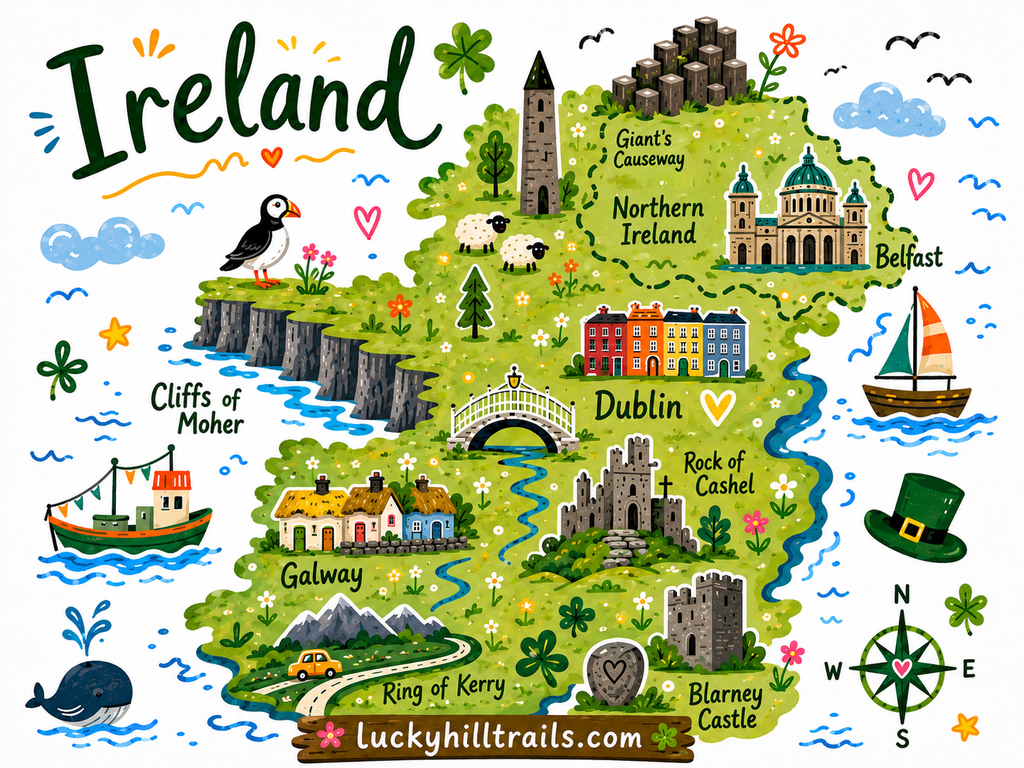
Map preview

Ireland Road Trip Map - 75+ Handpicked Locations on Google Maps
75+ personally visited locations - scenic viewpoints, photo spots, parking, and hidden gems - ready to open in Google Maps.
A curated Google Maps guide built from our own Ireland road trips - scenic viewpoints, photo spots, parking, cafes, and hidden gems across the full island.
Planning an Ireland road trip means drowning in tabs.
You open Google Maps, add a few castles, search “best cafes in Galway,” copy pins from three different travel blogs - and end up with 40 bookmarks and no idea which ones are worth your time.
This is not that.
Our Ireland travel map is a single, organized Google Maps guide we built from our own road trips around the island. Every pin is somewhere we actually drove to, walked through, ate at, or stopped to photograph. Nothing is lifted from a listicle. If a viewpoint made it onto this map, we were there ourselves and thought: this is worth the detour.
What’s inside
The map focuses on western Ireland and Dublin. Pins are organized by category so you can filter exactly what you need:
- Scenic viewpoints - The pull-overs and panoramas where you stop mid-sentence. We’ve included the classics and the ones that don’t have a car park full of tour buses yet.
- Photo spots - Cliffs, castle ruins, foggy mountain passes, the kind of light that only exists in Ireland. Every pin has enough context to know what you’re shooting and when to be there.
- Parking - Underrated, but critical on Ireland’s back roads. We’ve pinned exact parking areas so you’re not circling for 30 minutes on a one-lane road.
- Cafes & restaurants - Places we actually ate at, with real food we actually enjoyed. Not just the ones with the most Google reviews.
- Other useful stops - ferry terminals, spots accessible by car when walking isn’t an option, etc.
Why a Google Maps guide, not a travel blog?
You’ve already read the blog posts. You know the Cliffs of Moher are beautiful. What you need now is everything in one place, on your phone, ready to navigate - including offline, while you’re driving the R335 with zero signal.
Google Maps is how you actually travel. So that’s where we put it.
How it works
At checkout, enter the Google account email you use for Google Maps. We’ll share the map directly to that account - it appears in your saved lists within a few minutes. Open it on your phone, filter by category, and go. No app to download, no subscription to manage.
Who this map is for
Road trippers who like to make decisions as they go. People who want to know what’s good within 20 km and choose based on mood, weather, and how much time they have. Anyone tired of building their own Ireland itinerary from scratch across seven different websites.
If that’s how you travel Ireland, this map becomes one of your most-used tools on the trip.
Planning a more structured trip? This map is a tool for flexible road trippers. If you want a day-by-day Ireland itinerary - driving routes, what to book ahead, and how to pace your time - we’re working on a comprehensive travel guide for exactly that. Follow us or check back soon.
Frequently Asked Questions
How do I get the map after I pay?
Before checkout, enter the email of the Google account you use for Google Maps. Once the payment goes through, we share the map with that account and email you the steps to open it. It usually shows up within a few minutes.
Where do I find the map in Google Maps?
In the Google Maps app, signed in with the same account, tap "You" (or "Saved"), scroll to "Maps" and open it. You can also open Google Drive, go to "Shared with me" and tap the map there.
Do I need another app or a subscription?
No. The map opens in Google Maps, which is most likely already on your phone, and you pay once. There is no subscription.
Can I open the map on a computer?
Yes. It is a Google My Maps map, so it also opens in a browser on your computer when you are signed in to the same Google account.
What happens if you update the map?
The map is shared with your Google account rather than sent as a copy, so if we add or fix pins later, you see the changes in the same map. There is nothing to download again.
I can't find the map. What should I do?
Check that you're signed in with the email you entered before checkout, and look for our email in your spam folder. If the map still isn't there, reply to that email and we'll sort it out.

